Zeon AIGC Sign-Up Guide
Create your account and organization in 4 steps — new organizations get $20 free credit
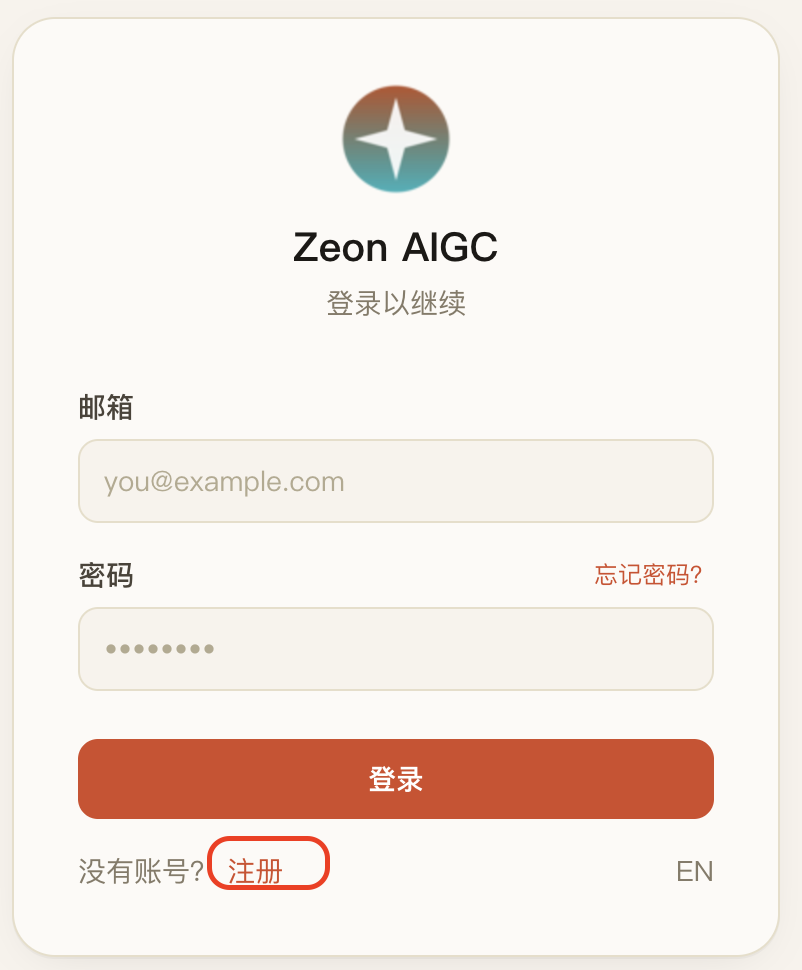
Open the login page and click “Sign Up”
Go to aigc.zeonsolutions.ai. At the bottom of the login card, find “No account? Sign up” and click it.
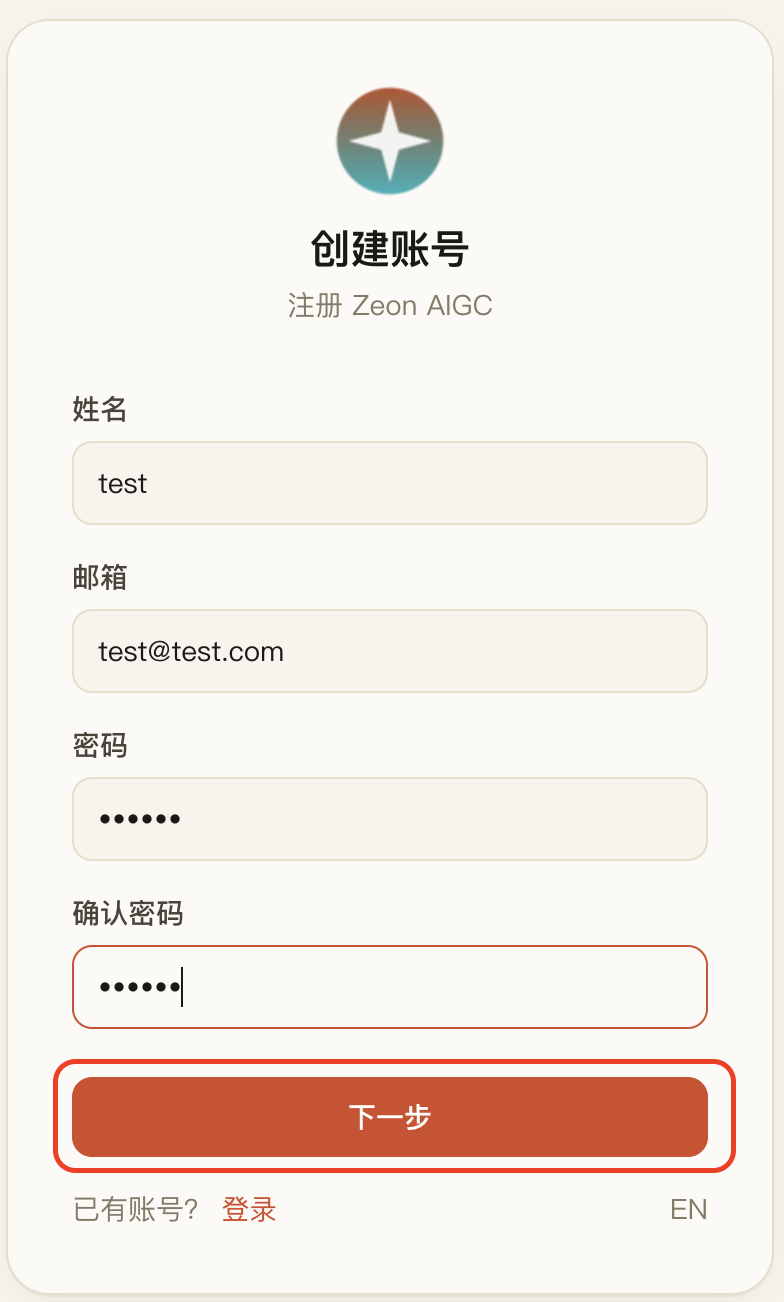
Fill in your account details and click “Continue”
Enter your name, email, and a password (at least 6 characters), confirm the password, then click “Continue”.
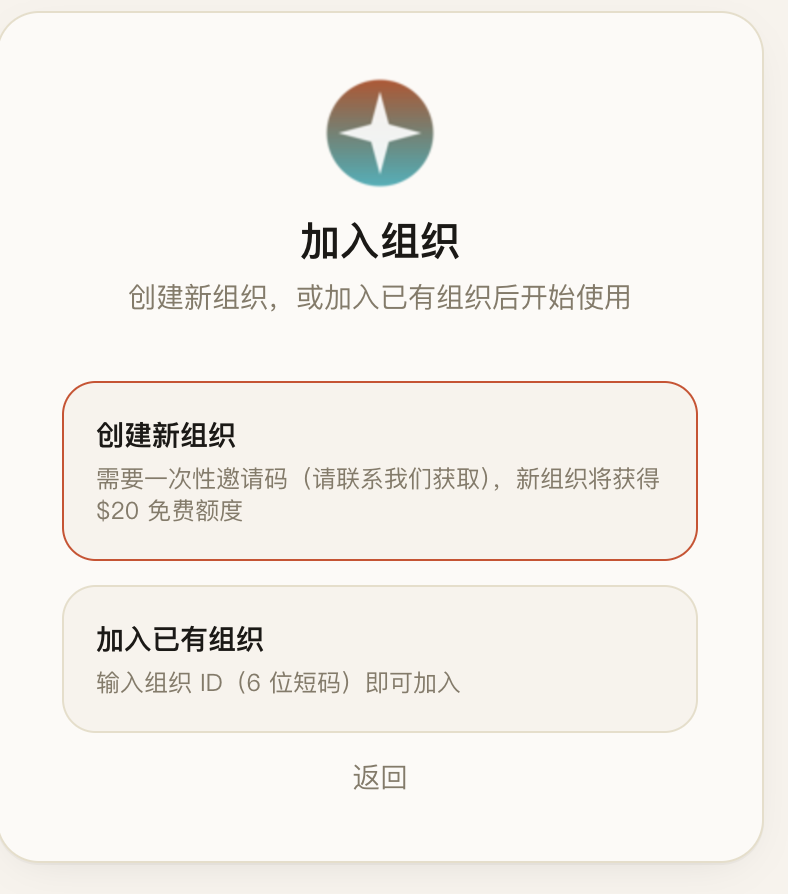
Choose: create a new organization, or join an existing one
Create an organization: requires a one-time invite code (contact us to get one). New organizations automatically receive $20 free credit.
Join an organization: if your team already uses Zeon AIGC, ask your admin for the 6-character organization ID and join directly.
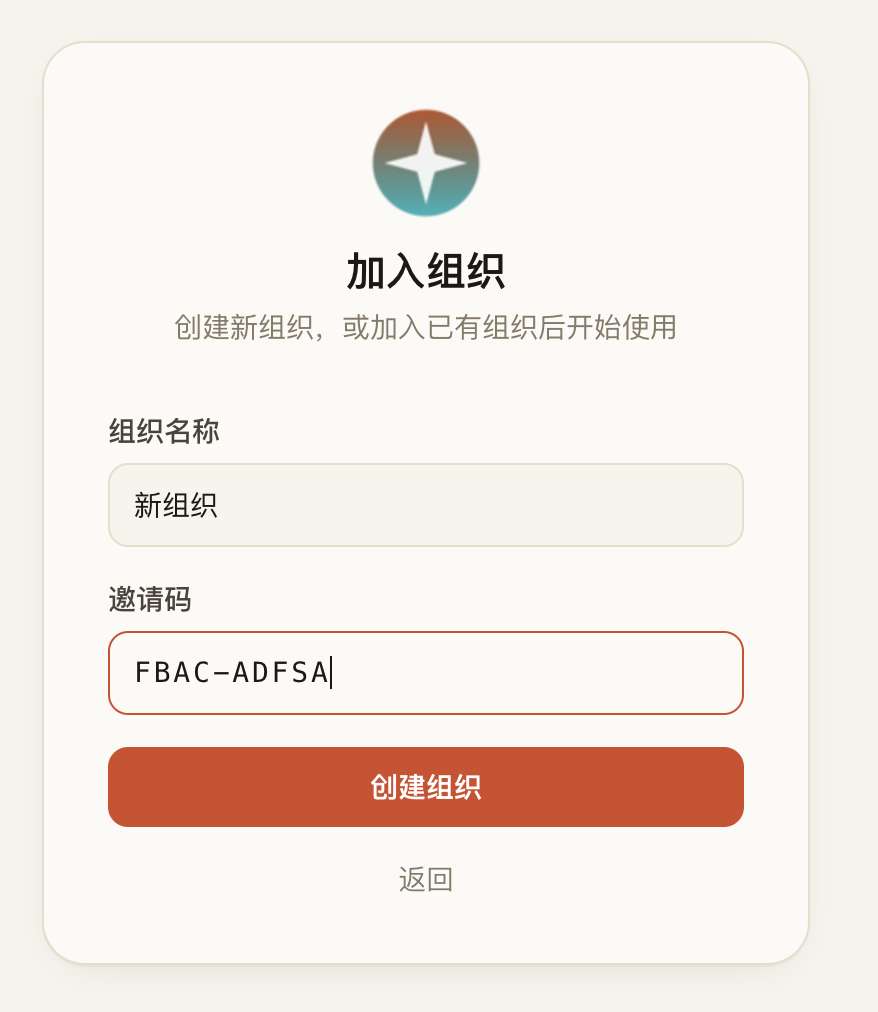
Enter the organization name and invite code to finish
Enter your organization name and the invite code (format XXXX-XXXX, case-insensitive), then click “Create organization”. That completes sign-up — you’ll land in the chat page with your $20 credit ready to use.
After You Sign Up
- ✓New organizations get $20 free credit, shared by all members of the organization.
- ✓When the credit runs out, the app shows a “Balance exhausted” banner and pauses usage — contact your admin to top up.
- ✓Invite teammates: find your 6-character organization ID under Settings → Members, share it, and they pick “Join an organization” during sign-up.
- ✓A reminder banner appears when the balance drops below $2 — top up early to avoid interruption.